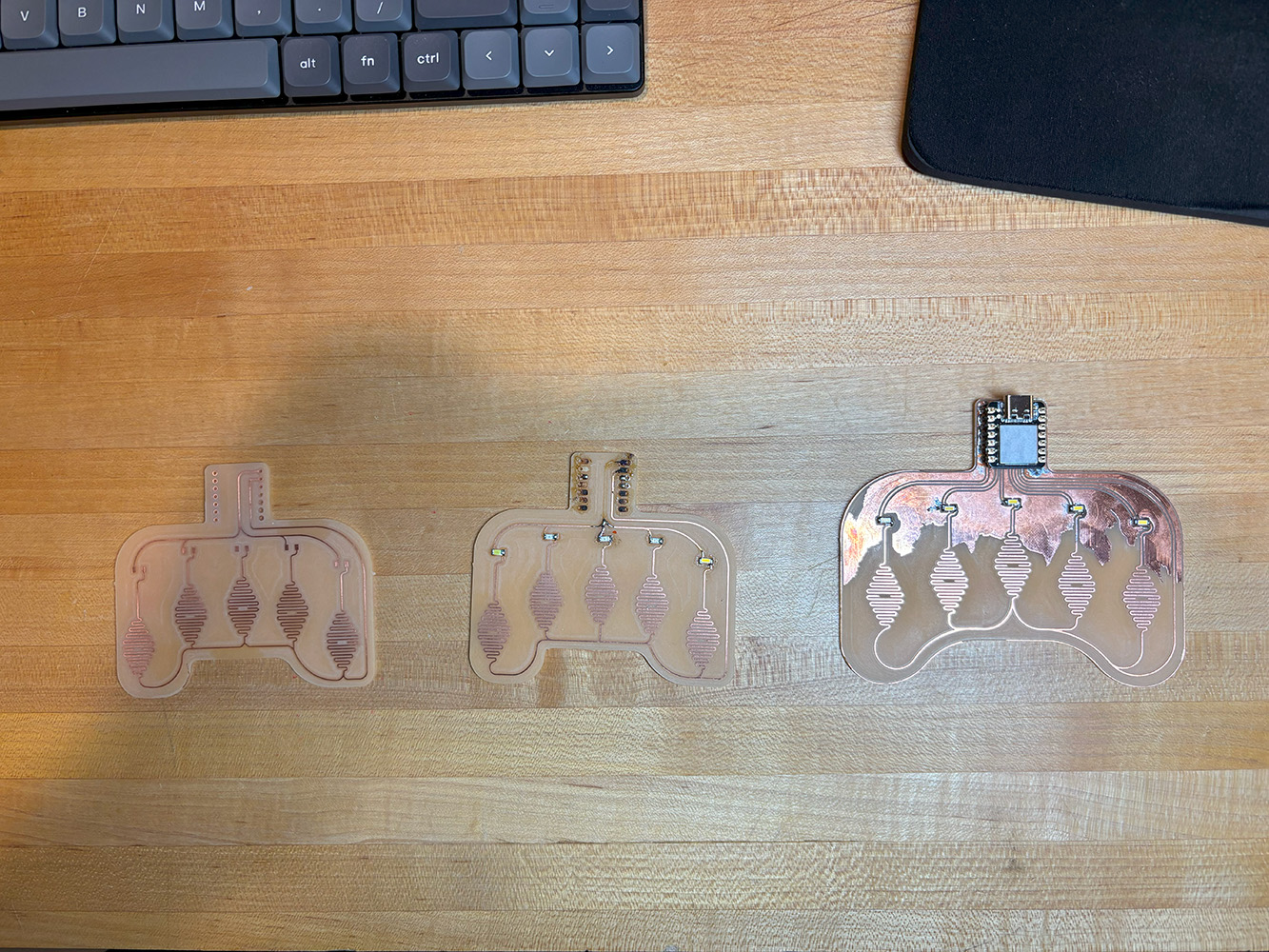
While learning how to make custom PCBs, I developed an interest in exploiting the natural conductivity of the copper in the PCB blanks. I designed and milled PCBs with onboard touch sensors formed by copper traces. By placing a finger on the touchpad, the finger acts like a switch, closing the circuit and sending a signal to the microcontroller. I used these touchpads to control onboard blinking LEDs.
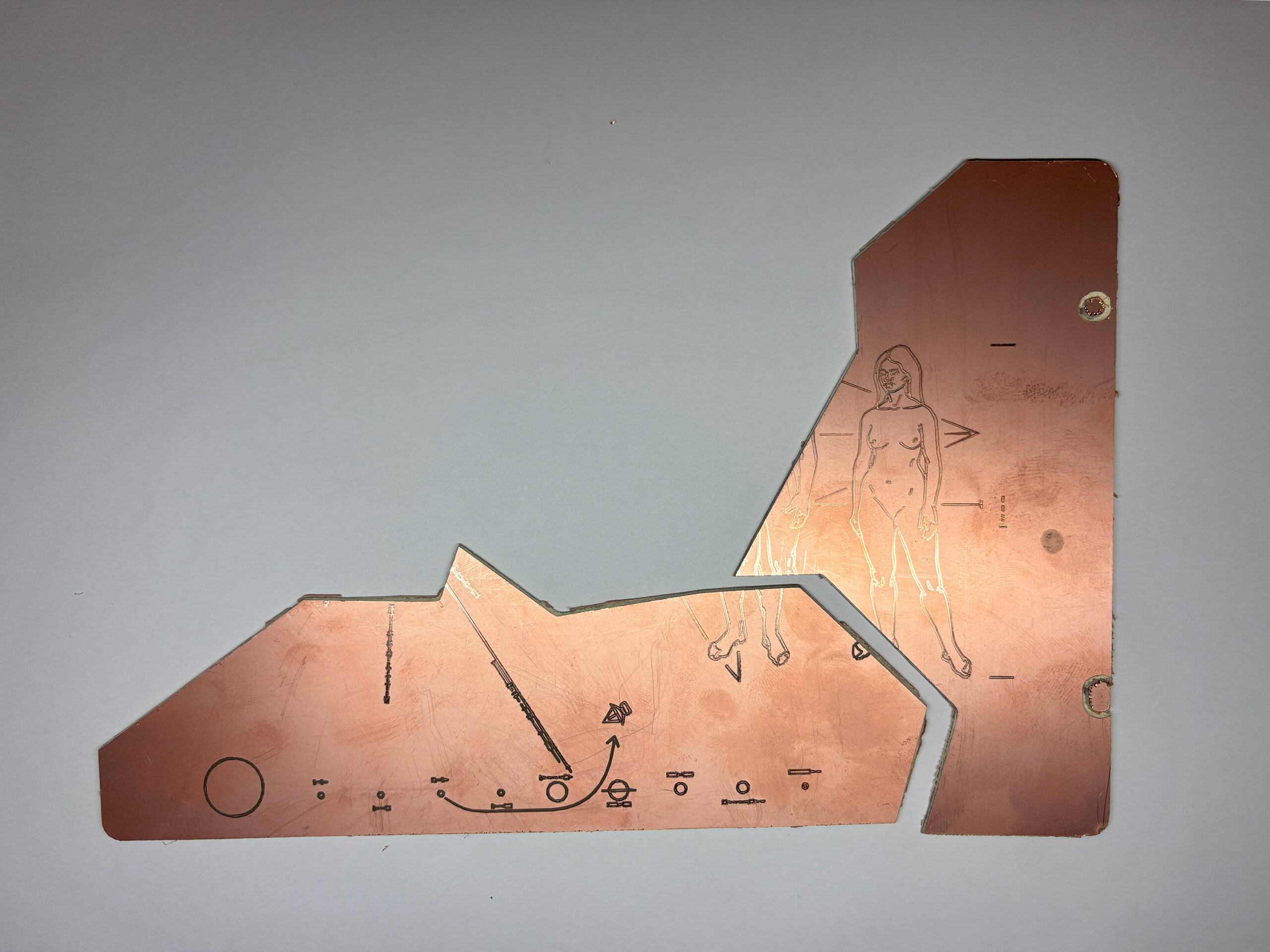
Interested in the applications of touch sensing for multimedia art installations, I integrated some of the things I learned previously in this installation for an exhibition I took part of in 2024. A public presentation of my previous work Contrapposto (2022), the video media is projected on top of a bed of sand filled with plastic and metallic debris. Among the debris is pieces of an engraved plaque, which serve as touch sensors for the audience to interact with the work.

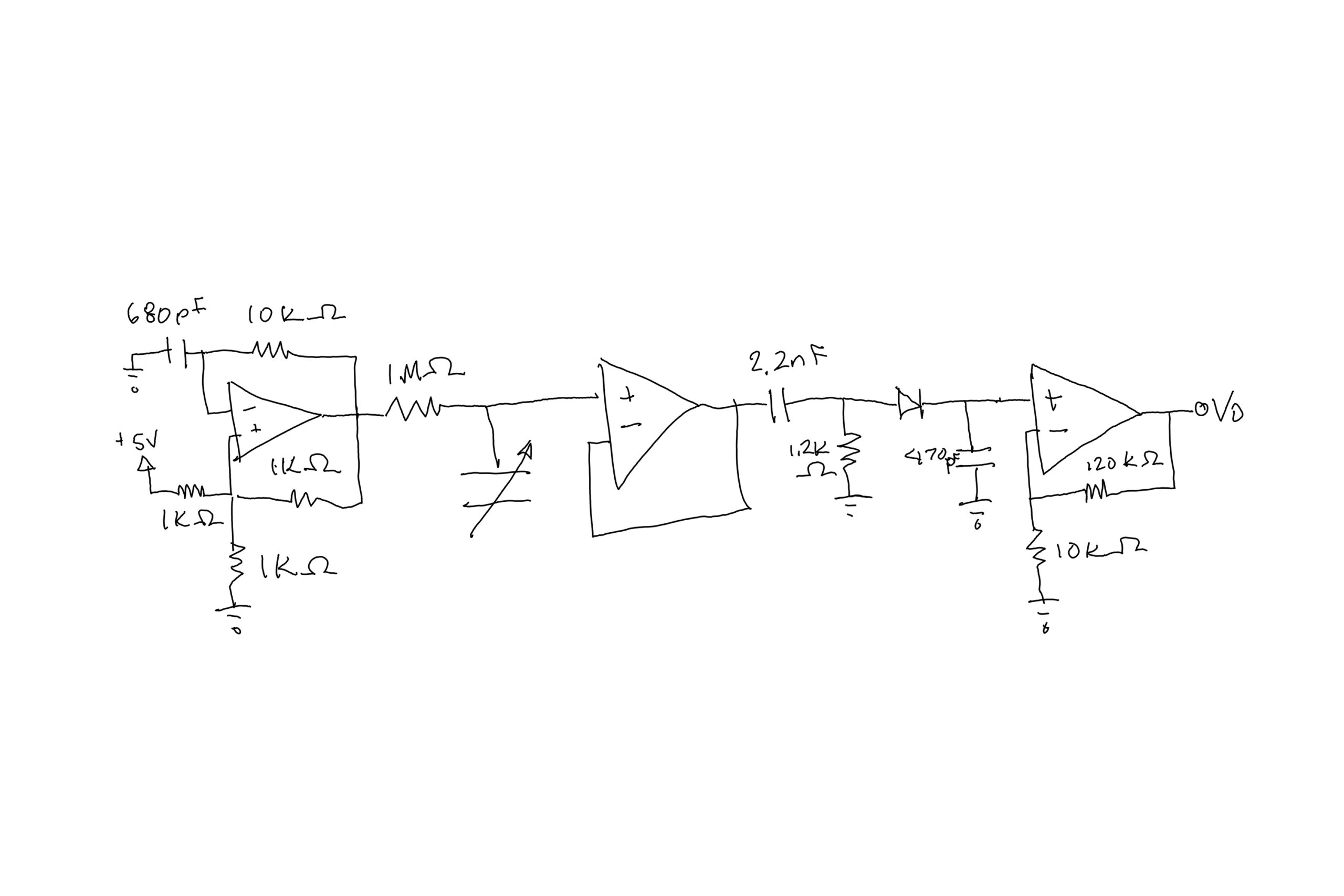
Next, I wanted try controlling a DC motor with capacitive sensing. I built a capacitive sensor circuit using a 152mm x 74mm x 0.61 mm rectangular piece of aluminum as the sensor. The circuit begins with a relaxation oscillator that oscillates at around 68kHz. The signal is then run through the piece of metal and then through a buffer amplifier. A high pass filter that filters out any noise under 60Hz is put after the buffer amplifier. I then put a rectifier after the high pass filter stage. By now, the signal swings from 200mV to 0V as a person’s hand gets closer to the sensor. I then put a non-inverting gain stage at the end. The sensing distance at this point is around 1 inch.
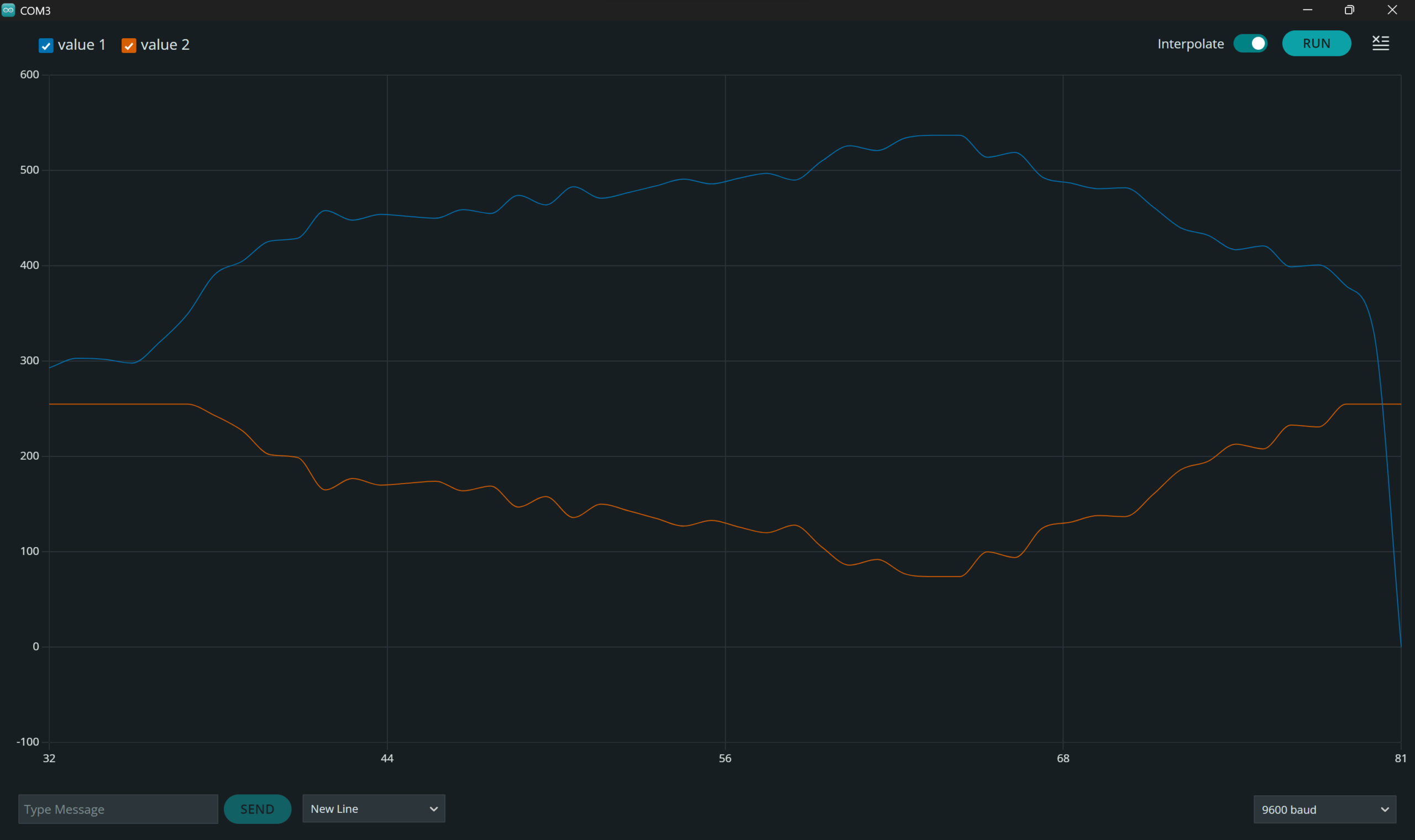
I used an Arduino Uno R4 to gather data from the sensor. The ADC on the Arduino is 10-bit; however, the number I received while moving my hand ranged from 380 to 600, while complete contact between sensor and the hand gave a value of 0 while at the furthest distance from the sensor gave a value of 1023. I constrained the values so that even at full contact, the value given would be 380 and at the furthest distance, the value given would be 600. I then flipped and mapped these values to a range of 0 to 255, since those were the values that controlled the spinning speed of the motor. I connected a L298N motor driver to the Arduino to control the DC motor while the motor was powered by a wall outlet. With all the components connected, I was able to vary the spinning speed of the motor based on the distance of my hand from the sheet of metal used as a sensor.